
Agentic Coding #2 — Design Decisions
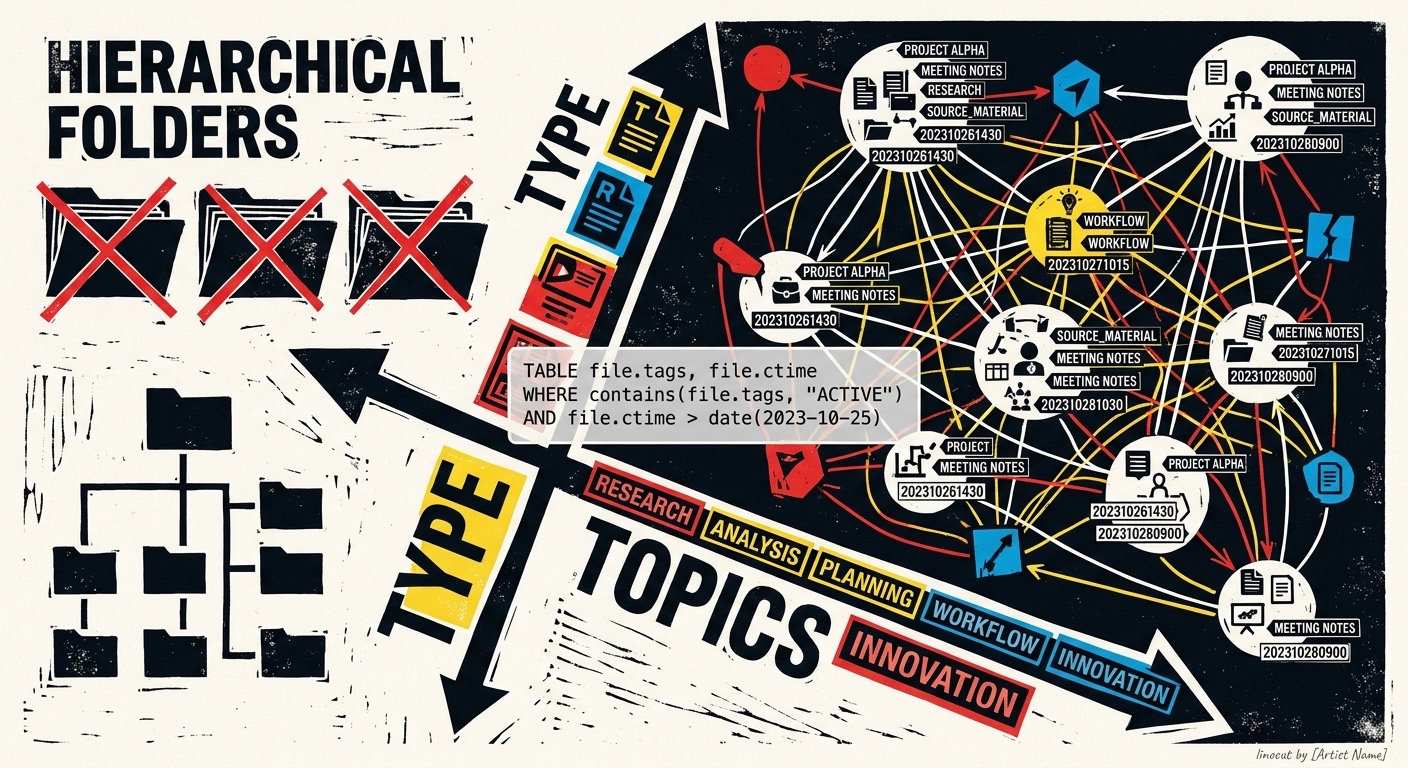
No Semantic Directory Structure
A central point: The top-level directory structure does not represent topics. No folders like "Tasks" or "Documentation" — deliberately avoided. The directory structure is purely technical, oriented toward workflow. Content-based organization is achieved exclusively through metadata.
Timestamp-Based Filenames
Every new file receives the current timestamp as its filename (YYYYMMDDHHmm.md). There are a few exceptions, but the rule is: no descriptive filenames. This is intentional.
Navigation via Metadata and Dataview
To find one's way through this mass of timestamp-named files, to locate and aggregate information, various attributes in YAML frontmatter and inline fields are used. The Dataview plugin enables queries against these attributes, and through that, the entire navigation and presentation is built.
That is why the output directory exists: It contains lists through which one can navigate. The main navigation is a kind of dashboard. The Obsidian bookmarks serve as the starting point from which one explores the information — deliberately no friendly descriptive filenames, deliberately no semantic directory hierarchy that maps content. Instead, exclusively through what is written in the files, through queries, aggregations, filters, and similar mechanisms.
Two Main Axes of Classification
Content organization operates along two dimensions:
Type — Kind of Document
An attribute that describes what kind of document it is: specification, action (instead of to-do), project, documentation, and so on. The templates generate different files with different characteristics and required fields based on the type — a specification may have different required fields than an action. The type distinction is oriented toward what GTD defines.
Topics — Content Classification
A field for subject areas. A note can belong to multiple topics — this is the classic advantage over folder-based structures: If subject areas were mapped through directories, one would need the same file in two different folders simultaneously. This problem is avoided by allowing the topic attribute to contain multiple different topics. The entries in the topic field are links — clicking on them triggers matching Dataview files that list all notes belonging to that topic.
In this way, one can say: Show me all documentation files that belong to a specific subject area. One can sort by topic, by type, by last modification — different views of the entire body of data, accessible through the dashboard.
Aliases Instead of Filenames as Headings
The heading of a note — what one would normally use as the filename — resides in the aliases field and as the H1. These are typically identical. Multiple aliases can be entered, but usually there is just one. In all views, the alias is displayed, not the timestamp filename — the latter carries no meaning.
This results in a filesystem structure that maps a process and is in no way content-based, while the contents themselves are flexibly taggable and their connections are established through topics.
Tags Are Purely Technical
Hashtags are normally not used. When they are, it is exclusively as technical metadata for the individual file — things like "in progress," "empty," "comeback." Never for content classification. The tags are purely technical and refer to the individual file.